
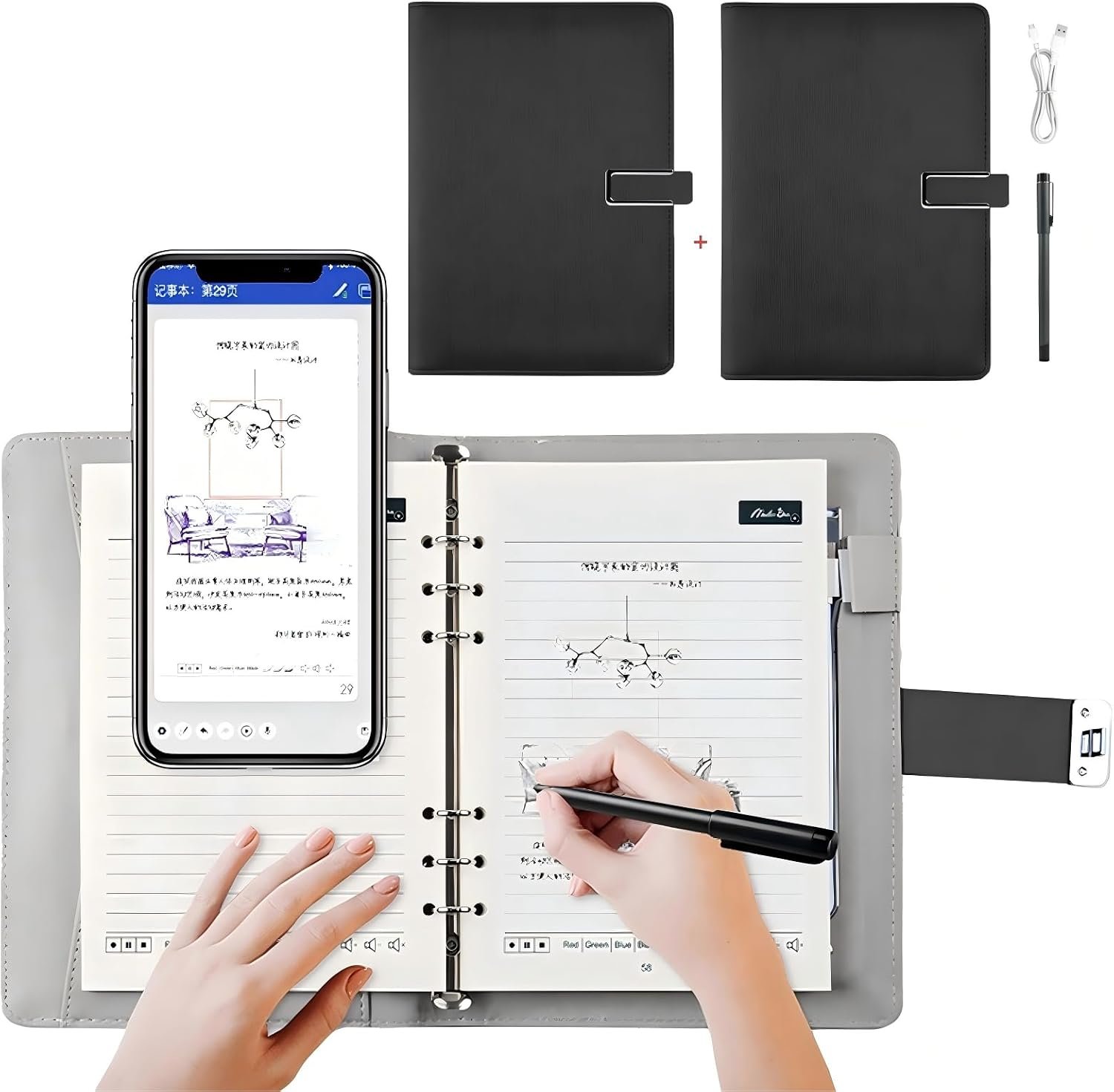
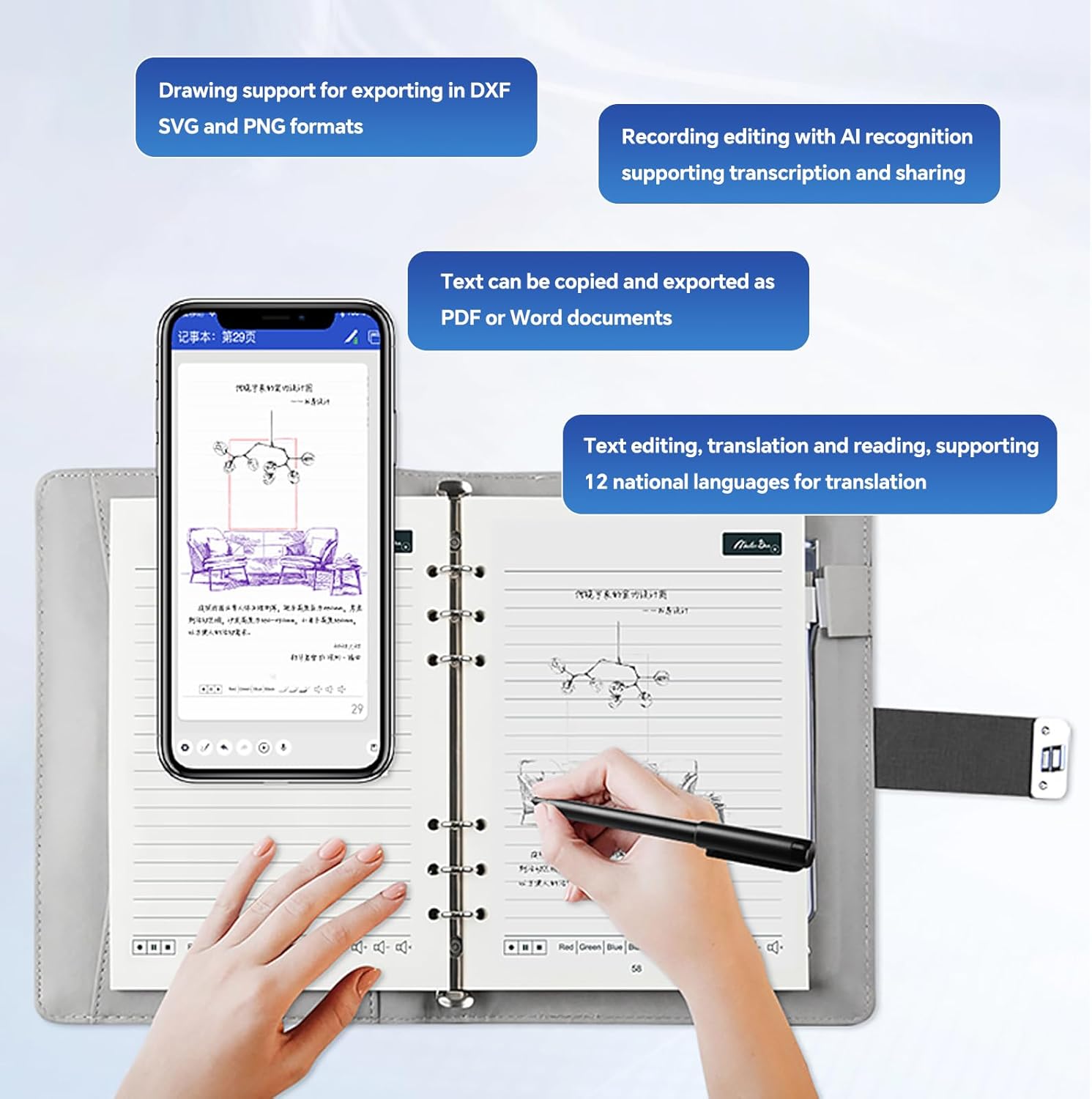
Smart Digital Pen | Real-Time Sync Write on Paper Sync to Phone Mobile Voice to Text Handwriting Voice to Digital Voice-Controlled Painting
$69.66
Related Products




Product description
Trouble shooting-1
– Mobile device compatibility issues
The Android system version of your current mobile phone is too low, the hardware configuration is insufficient, or the mobile phone model is not compatible with this APP, resulting in an inability to download normally. It is recommended to use another mobile phone that meets the APP’s adaptation requirements to try downloading.
– Abnormal mobile browser
Problems such as excessive cache, program failures, or an outdated version in the currently used mobile browser affect the APP download function. It is recommended to switch to a commonly used mobile browser (such as Chrome, Huawei Browser, UC Browser, etc.) and try again.
– Mobile browser settings issues
Abnormalities in the browser’s security settings, download permissions, network settings, etc. may prevent the APP file from being downloaded. For example, the browser prohibits downloading files from unknown sources, the download path is set incorrectly, or the network permission is not enabled. You need to check and adjust the relevant browser settings.
– Unstable/abnormal network connection
The current network (Wi-Fi or mobile data) has a weak signal, connection interruption, or the network speed is too slow, resulting in the APP installation package not being able to be loaded and downloaded normally. It is recommended to switch to a stable network and try again.
Trouble shooting-2
– Insufficient mobile phone storage space
The internal storage of the mobile phone or the storage space of the SD card is full, and there is not enough space to accommodate the APP installation package and the space required for installation, resulting in a download failure. It is recommended to clean up useless files on the mobile phone, free up storage space, and then try again.
– Abnormal APP installation package
The download link has expired, the APP installation package itself is damaged, or the installation package is incompletely downloaded due to a network interruption during the download process, making it impossible to install normally. It is recommended to click the download link again to ensure a stable network during the download process.
– Mobile system permission restrictions
The mobile phone system has not enabled the “Allow installation of apps from unknown sources” permission (this needs to be manually enabled on some Android phones), or the system firewall or security software has blocked the APP download and installation. You need to adjust the system permission settings.
【Efficient capture and organization】: Whether it is meeting minutes, class notes, or daily writing ideas, the smart digital pen can quickly synchronize the content on paper to the mobile phone, avoiding the cumbersome process of manual input or scanning documents, greatly improving the efficiency of capturing and organizing information. Users can classify, mark, and search the synchronized content on the mobile phone at any time, making it convenient to quickly find the required information.
【Convenient sharing and collaboration】: By synchronizing the written content to the mobile phone, users can easily share documents, notes, etc. with others, whether through email, instant messaging tools, or cloud storage platforms. This is very helpful for scenarios such as team collaboration, academic exchanges, and work reports, which can achieve fast information transfer and sharing, and improve work efficiency and communication effectiveness.
【Facilitate learning and education】: In the learning process, students can use the smart digital pen to capture the key content explained by the teacher, do exercises, etc., and review and recall it at any time after synchronizing it to the mobile phone. At the same time, the smart digital pen can also be combined with educational applications to achieve personalized learning, such as intelligently marking and correcting according to the student’s writing situation, and providing targeted learning suggestions, which is helpful to improve the learning effect.
【Protect paper documents and be environmentally friendly】: For some important paper documents, using a smart digital pen can make a digital backup without damaging the original documents, preventing the documents from being lost or damaged. In addition, reducing the use of paper meets the environmental protection concept to a certain extent, which helps to save resources and protect the environment.
【Creative expression and artistic creation】: For creative workers such as designers and painters, the smart digital pen can quickly synchronize their sketches, paintings, and other works on paper to mobile phones or computers, making it convenient for later digital processing and editing, such as adding colors, special effects, etc., providing more possibilities and convenience for creative expression and artistic creation.
2 reviews for Smart Digital Pen | Real-Time Sync Write on Paper Sync to Phone Mobile Voice to Text Handwriting Voice to Digital Voice-Controlled Painting
Add a review
$69.66
Ruben Hernandez –
Sherrie Grover –